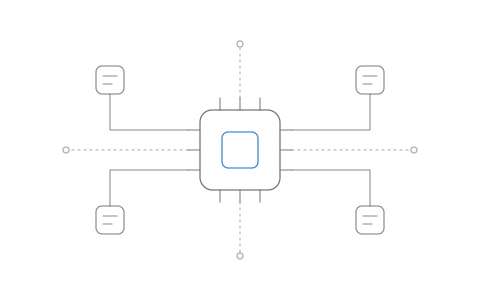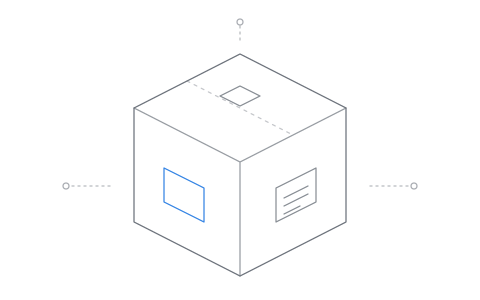
In an earlier archive we talked about "a bit of disrespectful shuffling" of the Linux filesystem. That archive was only part of the picture. So let's take a deeper look at how DivisionOS makes sense of things through Prism, our kernel level filesystem.
Whenever you move everything, everything tends to break. Software built to run on Fedora, on Debian, even in Flatpak expects a fixed design: an exact filesystem, laid out the exact way it expects. On DivisionOS, nothing named `/etc`, `/usr` or `/bin` exists on the disk at all. On top of that, we enforce strict rules on where files live: who owns a home folder, where a program's settings go, and where its data goes. Programs have no idea any of this is happening. With a completely redesigned layout, software doesn't just work. It breaks, and for that we need an answer.
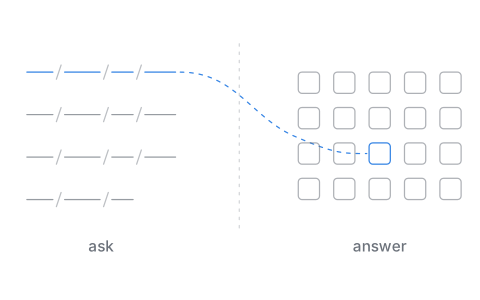
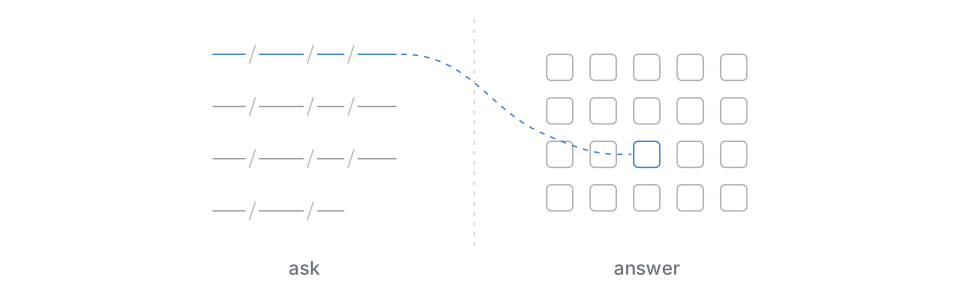
For Prism, the answer is exactly that: the answer.
Most people picture a program finding a file the way they'd find one themselves: open a folder, open the next one, keep going until you get to your file. On a typical Linux system that picture is close enough, because a program that asks for `/etc/alsa` gets exactly `/etc/alsa`. The name it asks for and the place on the disk are the same thing. In DivisionOS that isn't true. So the question becomes: how do we cleanly redirect hundreds, even thousands, of programs that each expect a certain, exact filesystem to exist?
To answer that, we first have to take the filesystem out of the picture and replace it with a conversation.
== The Conversation
When a program like Steam wants a file, it doesn't go anywhere. It can't. A program has no way to walk a disk, open a folder or follow a path on its own. All it can do is ask. Steam hands the kernel one request, open this (`openat`), and then it waits.
Say the request is `/home/<username>/.local/share/Steam/config/loginusers.vdf`. It's easy to imagine Steam stepping from `home` to `<username>` to `.local` and on until it reaches the file it expects. That isn't what happens. Steam asked one question and stepped aside. Everything after that is the kernel's work.
The kernel's virtual file system, the layer every Linux filesystem plugs into, takes this request and breaks it down into steps. What is `home`? Inside it, what is `<username>`? Inside that, what is `.local`, then `share`, then `Steam`, then `config`? The steps continue until the virtual file system reaches its target, `loginusers.vdf`. Each step is a small question the virtual file system puts to the filesystem, and each answer comes straight back, all in a fraction of a second, a timescale that's nearly impossible for humans to comprehend. Steam takes no part in any of it. It asks the question and then waits for a response. To the person at the keyboard, it's easy to believe Steam just went and found that file. But the magic that already exists in every standard virtual file system is what lets us take advantage of it and reframe it. Steam never walked the file system. To Steam there's no difference between `/here` and `/there`. The only thing that matters is the answer.
::walk
Put plainly, when Steam asks for a file, the filesystem answers that request for it. It's blind trust, respected: you say "I want ice cream", and the waiter serves ice cream.
This has worked plainly for Linux, and for every filesystem since the beginning. The problem? Sushi...
Imagine the Linux kernel as a restaurant filled with waiters, with distributions and packages each bringing their own flavor. Steam is happy in a restaurant serving ice cream, because that's what it expected. But maybe someone else decided to go out for sushi, and you don't typically go to an ice-cream parlor for sushi...
Fedora, Debian, Flatpak and every single AppImage each expect a different flavor of Linux, and each orders from its own menu. Fedora might order `/usr/lib64/libX11.so.6`, while Debian prefers `/usr/lib/x86_64-linux-gnu/libX11.so.6`, and a Flatpak asks for `/app/lib/libX11.so.6`. That's the same dish, ordered from three different menus. From a philosophy standpoint, "the customer is always right", even when they're wrong. It doesn't matter how sushi makes it to the plate, as long as the customer who orders sushi gets sushi.
::accents
Fedora, Debian, and Flatpak all walked through the same door, asking for the very same thing, each in their own accent...
== Every Request Is a Guess
On a typical Linux system, the answers come easily, `/abc` = `/abc` and `/xyz` = `/xyz`. The question and the location are the same thing. In DivisionOS they are very different, for example `/home/<user>/.steam` is actually `/programs/steam/config/1000/home/.steam`. So how does this happen? The answer is the idea of "physical location" rather than "reputed location", the place a path claims a file lives, whether it's true or not.
A program is never asking for something it can prove, or knows with certainty exists, rather the deeper we look the easier it is to see that every request is "assumed". And every assumption is easily broken the moment a program runs outside the native environment it expected, so we need one source of trust and truth. For DivisionOS that's "physical location". The program asks, and our job is to understand exactly what it's assuming when it asks for `/home/<user>/.steam`, and hand it the correct physical location.
== Bytes, Not Places
Strangely we can take this wall of text and everything we're saying and boil it down to "so you're lying to Steam?" and oddly the answer is no. In a fundamental way, we're being completely honest, and here's why. To Steam or any other program / process, they don't give a damn about `/home/<username>/.local/share/Steam/config/loginusers.vdf`, rather the conversation boils down to one thing,
::bytes
If you didn't understand that last part, that's ok, and you'd be in good company. Programs don't speak like us, they don't think like us, and they don't care about us nor how we parse data. When Steam asks for its file, the kernel doesn't even hand back a location, it hands back a number, something like `47`, a ticket that says "your file is open, call it 47". Steam reads ticket 47, and what comes back are bytes, the file itself, one after another. It's important that we understand that Steam is looking for ONE thing, the bytes. Where they live, which folder, which disk, Steam never sees and never asks and doesn't care. In fact the only reason Steam even mentioned a location at all can be boiled down simply to "should be here?", it's a guess, from a process whose only real request is that the virtual file system hand it its bytes directly.
Oddly, to a program we could take everything and throw it on a physical disk in a manner that is far more efficient and even faster for programs and processes. So why are file systems structured the way they are? The simple answer? Humans. Humans have to read and understand things, be able to parse and place, and walk through the system alongside every process that's running. In a weird way, the file system isn't for programs, it's for humans. There are far more efficient ways of both storing and pulling data between processes and the physical storage they use.
== Built for Humans
In our earlier archive we talked about a bit of disrespectful shuffling, and how we moved everything in the file system. We didn't do this for "programs" entirely, rather the majority of our changes are done for humans. The average desktop, smartphone, tablet user doesn't understand `/var` `/proc` `/etc`, but the vast majority of people would understand a folder sitting at root named `/system`, and the vast majority of users would understand a folder inside system named `/system/temporary`. So we took two ideas. The first, for humans the current Linux Filesystem Hierarchy Standard makes absolutely no ____ing sense for everyday users, and two, processes generally don't give a ____ about the layout of your filesystem, they eat bytes, not tables and indexes.
In fact our file system would have and could have been far more efficient if we completely decoupled parsing and data and rather threw everyone's data as flat files onto the physical storage with a tagging based system, then moved parsing and "filesystem structure" into the file manager at the application level. Hell, who knows, we may even play with this one day. Why? Because I genuinely find things like this extremely exciting.
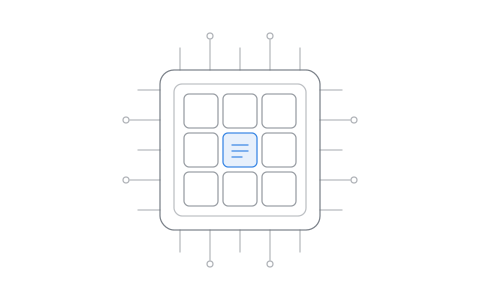
Actually, in a way we've already done exactly this. Sitting at `/objects` is every shared library on the system, over a thousand of them, flat, one folder, no structure at all, with names no human could ever read:
::objectname
You won't even see it when you list your root, because it was never built for you. There's no `/usr/lib64` in there, no `/usr/lib/x86_64-linux-gnu`, no folders at all. The structure didn't vanish, it moved, out of the disk and into a plain list we call a table, one line per file, "this name, this kind of program, this file":
::tablerow
Bytes placed flat onto the physical storage, data on one side, parsing on the other, exactly the idea above. Obviously this is case specific and used specifically for how DivisionOS manages the objects that each individual program or process may use.
== Who's Asking
So the answer, in Division, is in part truer than what's regularly found in your average virtual file system. But that statement doesn't make a lot of sense? How can an answer of `/programs/steam/config/1000/home/.steam` be more honest than `/home/<username>/.steam`?
To find the answer we must first take a look at communication. And this is one thing humans are far better at than computers.
Facial structure, body language, eye contact, cadence, intonation. To the human mind these are all system calls, where we intake trillions of parameters and parse that data all in a fraction of a second. Neurons, synaptic connections, engram cells, all calling on one another, much like physical storage in a system that cannot be reached without some level of "file system theory".
In Division this theory is important because we're no longer working with "reputed locations", rather when something asks for its configuration location and files, we must first walk the same analysis, "identity". Much like humans, the first step in communication must be exact identity. With the same structure we can target and identify exactly what a program or process is really asking for. Cadence and intonation, how programs speak, is the difference between `/usr/lib64/libX11.so.6` and `/usr/lib/x86_64-linux-gnu/libX11.so.6`.
When we break down the communication and the request, the only thing that matters is `libX11.so.6` itself, and behind it the access to the raw bytes on the physical storage. Steam never cared about `/usr/lib64/` nor `/usr/lib/x86_64-linux-gnu/`, the folder and the path were never the source of truth, but rather accent and dialect, it only ever cared about `libX11.so.6`, and the physical bytes it contained.
Steam, or any other program or process, asks the virtual file system, takes the answer, and moves on. It never checks the math nor cares how the virtual file system came to that conclusion.
This is already commonplace in Linux, with one example being `/proc/self`, a path that gives a different answer to every single process that asks for it, because the answer depends on who asked. This isn't reliance on "reputed location" but rather identity based reliance.
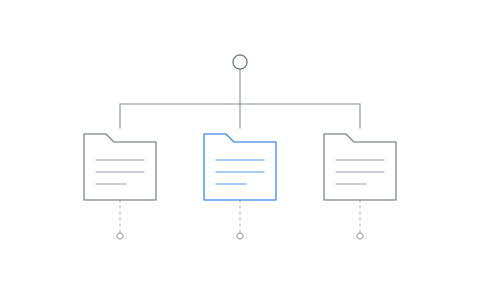
Prism is built on that freedom. When a process reaches out with a request for the virtual file system, Prism does more than simply parse location and request, it first asks identity. Which program did this request come from? The answer is now heavily dependent on identity and context, and where the two converge.
::asker
In DivisionOS Steam and every program carries with it these ideas of identity and context without even knowing it. This is what allows us to use both Bundles and Hashprints, hashprints being something very exciting we will talk about in another archive.
For Steam, its bundle carries the list of every library it was packed with, and Steam's list says `libX11.so.6` is `c2ada345517b10caaf3a`, the same file sitting in `/objects`. So when Fedora, Debian, and Flatpak packages all request `libX11.so.6` in three regional accents, Prism understands the context, and each program and process gets the correct answer no matter the dialect.
== Your Home Is Yours
Your home folder works the exact same way. Commonly, Linux machines throw everything from Steam into one place, `~/.local/share/Steam`, its install, your login, your saves, your games, everything. On a philosophical level I honestly hate this with a burning passion. But this passion isn't without reason nor merit. First philosophical point, a user's home folder belongs to the user, we've already covered this extensively in our previous archive. The clash between developer intent and user intent is cut plainly. In DivisionOS, between the two, respect tends to lean towards the user.
Second philosophical point, orphaned and abandoned files. Commonly in Linux, when a user makes the decision to delete a program, every file that program placed in the user's home folder is orphaned and abandoned. This is not only disrespectful to the user and their environment but also an incredibly sloppy way to maintain a system.
On DivisionOS the idea of the home folder becoming a junk drawer is blocked outright, rather when Steam asks for `~/.local/share/Steam/userdata`, Prism, our kernel level filesystem, instead correctly places the answer at `/programs/steam/config/<uid>/home/.local/share/Steam/userdata`, all user data stored alongside its parent program, the initial requester.
::split
This concept isn't just for user data either, it also extends to program level configuration, confining programs and processes away from another commonly found dumping ground, `/etc`.
Put plainly, we've moved all sorts of things around, but everything still works? The reason is simple, programs aren't searching for `/thisfolder/thatfolder/myfile`, rather that path is a pointer for the virtual file system, and once we understand the language of communication we can then begin to structure the rule sets that define our system.
== Honesty Is Physical
In DivisionOS `/etc`, `/usr` and `/bin` don't actually exist. `libABC.so.1` doesn't actually exist, `/home/<username>/.local` doesn't actually exist. Yet every program that asks for them gets an answer, and not just any answer, the correct answer. Our on disk file system layout stays simple and human readable, `/system/temporary`, `/system/devices`. Things are easily understood while also being confined to the parent `/programs/<app>/config/<uid>`, without allowing for orphaned files or abandoned configs. Respecting the user, while still being honest to the programs and processes that require both physical and ephemeral storage.
Again, we can do this because of one simple fact, programs do not walk a file system, rather the kernel level virtual file system does.
And all of this because of a few simple philosophies, communication, identity, and ownership. A program requests a file, Prism answers with that exact file. No debate, no distro vs distro arguments, no maintainer debates, and no outside philosophies. Rather, "here's your requested file".
Programs and processes ask for a place, a reputed location, a guess. What they get back is physical, real bytes, with real ownership, answered by Prism. Physical honesty, through the simple philosophy of Asked and Answered.